Getting a new phone is exciting, but many people worry about one key thing first: keeping their old number. Fortunately, transferring your phone number is usually simple if you follow the right steps.
This guide explains exactly how to transfer phone number to new phone, whether you’re switching devices, platforms, or even carriers, without losing access to calls or messages.
1. What It Means To Transfer Your Phone Number
Transferring your phone number means moving your existing number from your old phone or SIM to a new device so people can still reach you the same way to call and text.
This process does not mean:
- Creating a new number
- Losing your identity or contacts
- Resetting your carrier account
In most cases, your phone number is tied to your SIM card or carrier account, not the physical phone itself. As long as your carrier supports the transfer, your number can move with you.
2. How To Transfer Phone Number To New Phone
If you’re wondering, how do I transfer my phone number to a new phone, the answer depends on whether you’re staying on the same carrier and what type of phone you’re switching to.
In general, the process involves:
- Activating your new phone
- Inserting your existing SIM card or activating an eSIM
- Signing in to your carrier account if prompted
Once activation is complete, your number should automatically appear on the new device.
2.1 What to Do If You’re Switching From Android to Android
This is usually the easiest scenario when you’re looking for how to transfer phone number to new phone for Android.
Steps to follow:
- Turn off your old Android phone
- Remove the SIM card
- Insert the SIM card into your new Android phone
Power on the new phone and follow setup instructions
If your carrier uses eSIM:
- Sign in to your carrier account
- Scan the QR code or follow on-screen activation steps
- Your phone number should work immediately once activation finishes.
2.2 What to Do If You’re Switching From Android to iPhone (or Opposite)
Cross-platform switching adds one extra step for how to transfer phone number to new phone but it is still straightforward.
What to do:
- Insert your SIM card into the new phone
- Activate an eSIM through your carrier
- Complete the device setup process
- Wait for carrier activation to finish
Your number transfers through the carrier, not the operating system, so switching platforms does not change your number.
3. How To Transfer Phone Number To New iPhone
When moving to a new iPhone, Apple makes the process very smooth, especially if you’re staying with the same carrier.
Common methods include:
- Transferring your physical SIM card
- Using eSIM Quick Transfer during setup
- Activating through your carrier’s app or website
During iPhone setup, you may be prompted to:
- Transfer a number from a nearby iPhone
- Activate an existing number on the new device
Once completed, your number will be fully active on the new iPhone.
>>> Read more: How to Unblock a Phone Number 2026 : iPhone & Android Steps
4. Transferring Your Number When Switching Carriers
Switching carriers is slightly more complex but still very common.
You’ll need:
- Your current account number
- Your account PIN or password
- Your billing ZIP code or ID (varies by carrier)
Do not cancel your old plan before the transfer. Canceling early can permanently block your number from being moved.
4.1 How Number Porting Works
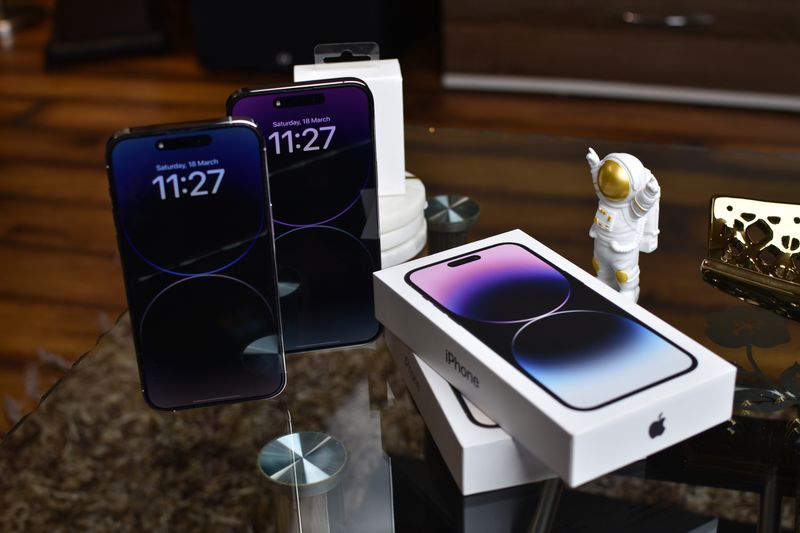
Number porting is the official process carriers use to move your number between networks.
Here’s how it works:
- Your new carrier requests the number from your old carrier
- Your old carrier releases the number
- The number activates on the new network
During this time, your old phone may stop working before the new one is fully active. This is normal.
4.2 Mistakes That Can Delay Your Transfer
Transfers are often delayed due to:
- Incorrect account information
- Wrong PIN or password
- Canceling service too early
- Outstanding balances on the old account
Double-checking details before starting the transfer can save hours, or even days of waiting.
>>> Read more: How To Get Transfer PIN From T Mobile (Step-By-Step Guide)
5. What To Do If Your Number Doesn’t Transfer
Sometimes the number doesn’t move right away. Don’t panic, most issues are fixable.
5.1 Quick Fixes To Try First
Before calling support, try:
- Restarting your new phone
- Toggling airplane mode on and off
- Checking for carrier updates
- Confirming the SIM card is active
Many delays resolve themselves within a few minutes to a few hours.
5.2 When To Call Your Carrier For Help
Contact your carrier if:
- Your number hasn’t transferred after 24 hours
- You receive error messages during activation
- Calls or texts don’t work on the new phone
- Have your account details ready to speed up support.
6. Frequently Asked Questions
Will I Lose My Contacts If I Transfer My Phone Number
No. Contacts are stored on your phone or cloud account, not your phone number. As long as your contacts are backed up, they will remain intact.
Does It Cost Money To Transfer A Phone Number
Most carriers offer number transfers for free. However, some may charge:
- SIM card fees
- Activation fees
- Early termination fees (if switching carriers)
- Always check your carrier’s policy first.
How Long Does It Take To Transfer A Phone Number
Transfers within the same carrier are usually instant. Switching carriers can take:
- A few minutes
- Several hours
- Up to 24 hours in rare cases
- Landline transfers may take longer.
7. Final Thoughts
Learning how to transfer phone number to new phone makes upgrading far less stressful. In most cases, your number moves automatically with your SIM card or carrier activation. Problems are rare and usually easy to fix.
As a final reminder:
- Don’t cancel your old plan too early
- Keep account details handy
- Follow carrier instructions carefully
With the right steps, you can enjoy your new phone without missing a single call or text.